
vawindowdim
Rhino plugin · v2.0.0 · updated
New
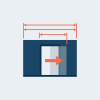
Automatically annotates VisualARQ walls, doors and windows with GB/T 50001 compliant three-line dimensions (opening / axis / overall) in Rhino 8.
Install in Rhino
Install from the computer that runs Rhino · How to install
Download .yakWebsite (opens in a new tab)- Total downloads
- 1
- This week
- +3+3 this month
- Releases
- 1
- First released
- Nov 27, 2026
- Works with
- Rhino 8 · Windows
- Download size
- 1000 KB
- License
- Not declared
- Credits
- Jiahua Lin


How to install vawindowdim
- Click Install in Rhino to open Rhino's Package Manager with vawindowdim selected, or run
_PackageManagerinside Rhino and search for vawindowdim.On the computer running Rhino, run_PackageManagerand search for vawindowdim. - Or install it from a terminal (assumes a default Rhino 8 installation):Windows (PowerShell)
& "C:\Program Files\Rhino 8\System\Yak.exe" install vawindowdim - Or download a .yak file and drag it onto an open Rhino window.
- vawindowdim-2.0.0-rh8_0-win.yakWindows · Rhino 8.0
Restart Rhino once the install finishes.
Download trend
vawindowdim version history
| Date | Version | Builds | Downloads | Install |
|---|---|---|---|---|
| Nov 27, 2026 | 2.0.0 | 1 | Install |