mcp-gecko
Rhino plugin · v1.0.2 · updated
New
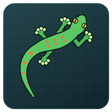
A little gecko that lives in your Rhino viewport while an AI agent (Claude, etc.) drives Rhino over MCP. It wakes up when the agent adds, deletes or edits geometry or runs a command, scurries over to the new geometry and says what just happened in a bubble; it wanders about while the agent is thinking, then curls up asleep in the corner when things go quiet. Your own mouse and keyboard work is ignored, so it only reacts to the agent. Works with RhinoMCP (port 1999) and other MCP bridges; on Windows it finds socket-based bridges automatically. Command: MCPGecko.
- Total downloads
- 7~5.4/day
- This week
- +13+13 this month
- Releases
- 2100% of downloads on v1.0.2
- First released
- 11/12/2026
- Works with
- Rhino 8 · Windows & Mac
- Download size
- 69 KB
- License
- Not declared
- Credits
- Poooly


How to install mcp-gecko
- Click Install in Rhino to open Rhino's Package Manager with mcp-gecko selected, or run
_PackageManagerinside Rhino and search for mcp-gecko.On the computer running Rhino, run_PackageManagerand search for mcp-gecko. - Or install it from a terminal (assumes a default Rhino 8 installation):Windows (PowerShell)
& "C:\Program Files\Rhino 8\System\Yak.exe" install mcp-geckomacOS (Terminal)"/Applications/Rhino 8.app/Contents/Resources/bin/yak" install mcp-gecko - Or download a .yak file and drag it onto an open Rhino window.
- mcp-gecko-1.0.2-rh8_36-any.yakWindows & Mac · Rhino 8.36
Restart Rhino once the install finishes.
Related packages
- mcp-spiderRhino plugin · 199 downloads
- corhinoRhino plugin · 2.1K downloads
- MCP4RhinoRhino plugin · 1.7K downloads
- wireifyRhino & Grasshopper plugin · 163 downloads
- swiftletGrasshopper plugin · 17K downloads
- AntRhino & Grasshopper plugin · 10.6K downloads
- cordycepsGrasshopper plugin · 2.4K downloads
- keratinRhino package · 1.1K downloads